

The fundamentals of programming never changed. But it feels some people have forgotten them. Clear requirements, small changes, tests, code reviews, and keeping secrets out of the code are the basics of building. It has even affected company cultures. I saw it happen around me at AWS. Some Amazon’s Leadership Principles quietly slipped for some teams, like Customer Obsession (turned into AI obsession), Ownership (when shipping without understanding), Insist on the Highest Standards (when they’re no longer the highest), and Have Backbone; Disagree and Commit (when pushing commits and accepting the output without judgment).
Many of us simply stopped doing them when we get overloaded by output from good-enough AI models. Many don’t understand what gets delivered, and lose backbone and ownership. And we are becoming just one of many. With AI doing much of everything, a lot of us started to forget how we used to work and became shadows of what we were: still in the room, but no longer holding the work ourselves.
AI sits next to us while we write, plan, and code. Sometimes it helps. Sometimes it haunts us with code nobody understands or breaks unexpectedly. Sometimes, it bombs others with things nobody needs. The good news is that the fundamentals still work. Today agents know most of them, and our job is to make sure they follow them. The moment I added the same guidelines and best practices I shared for years to my team, my own AI generations were higher quality and required fewer iterations. In this post, we’ll see the different ways of building and we will transform our own and teams roles together.

Hi! I’m Patricia, former Staff AI Product Engineer at AWS, where I led AI adoption across three orgs in Berlin. Now, I help tech professionals and leaders build with AI without losing their minds. If you’re new here, subscribe and I’ll share what actually works, from real teams. If you don’t know where to start, start with this post. And if you’d rather not learn AI alone, join my AI-Native Practitioner Programme, where we become AI-native together, in small pods, with real projects, and with reviews from senior professionals.
Last year, I wrote that we work with AI in three ways: as a personal assistant for quick targeted tasks, as a team colleague on complex problems across many tasks, and as a coach or mentor that helps us learn. All three show up in how we build software now. And the words keep changing. In 2025, we talked about prompts. This year the conversation moved to context, harnesses, loops, graphs, and now role-based always-on agents. So today, I’m writing a shared map for you and myself, so that we stay sane in this era of AI rush.
5.7. How I Thrive with AI Agents

This year, I’ve been using AI daily and experimented in many different ways in my AWS team. Discovering what works and what doesn’t. I saw leaders pushing to adopt AI overwhelming their teams while I worked with my organization leader to enable our teams and support them with Emotional Intelligence. Today, I’m sharing my learnings and my custom workflow…
What You’ll Learn
💡 A dictionary of the words many use but few can define all
💡 The difference between a developer and a builder
💡 Five ways to build software with AI, when to use each, and where I’d start
💡 Role-based Agents definition and cheatsheet of which way to use
💡 How to really become AI-Native with AI free tokens in a team (Deadline Nov 24)
Dictionary
Prompt engineering: writing instructions that get good repeatable answers: a clear task, the right context, an example, the format we want, and what to avoid.
Context engineering: choosing what the AI sees when it works: our files, docs, examples, and memory. Most bad answers come from missing context.
Agent: does more than answering in an AI chat. It plans steps, uses tools, edits files, and runs commands until a task is done.
Spec (specification): a written detailed description of what to build: requirements, design, and tasks. The agent builds from it, and we check the result against it.
Harness: everything around an agent that makes it reliable: rules files, tools, tests, permissions, and a safe place to run.
Loop: an agent repeating a task until a check passes, then stopping. The loop prompts the agent, so we don’t have to.
Graph: several agents and people wired together: who does what, in what order, and what they hand over.
Role-based Agent: an agent designed as a teammate with a role, beyond any single task: its mission, responsibilities, skills, knowledge, tools, quality bar, and what it decides on its own.
Learn more in this dictionary that I created for tech and non-tech people.
What Development is
Development was never just typing code. It is the whole path from a problem to something people can use and trust: understanding the customer, deciding what to build, designing it, building it, testing it, shipping it, and keeping it running.
AI made the typing part almost free. It did not make the rest free. The thinking, the decisions, the review, and the responsibility are still ours. When teams forget that, they ship faster and their products break more.
Developer vs Builder
I hear both words every day now, and they are not the same.
A builder turns an idea into something that works. Product managers, designers, founders, and marketers are building apps, tools, and prototypes with AI that they could never have built two years ago. Everyone should build now. That is wonderful.
A developer is responsible for software that keeps working: in production, with real users, real data, and real failures. A developer knows how it works, why it is built that way, and what happens when it breaks.
Most of us move between the two now. Some days I’m a builder, testing an idea in an hour. But when building my products, I need to be a developer, because that idea is now going to real customers. The mistake is not being a builder. The mistake is shipping a builder’s prototype as if a developer had made it. Another mistake is leaving developers out of product and business meetings, when they are the ones that understand how those decisions meet the product that ships.
Five ways to build with AI
1. Vibe coding
What it is: we describe what we want, the AI builds it, and we judge it by whether it seems to work. The term comes from Andrej Karpathy, who described it in February 2025 as giving in to the vibes and forgetting the code exists.
Use it for: prototypes, demos, internal experiments, and learning what we actually want.
Do not use it for: anything with real users, personal data, payments, or security.
Where I’d start: for non-tech people, Lovable, which makes beautiful designs. But any AI chat can create an app with instructions in a README.md.
Skill it needs: knowing when to stop, and throwing the prototype away instead of growing it, or adding it to a Pull Request because most of the code won’t survive.
2. AI pair programming
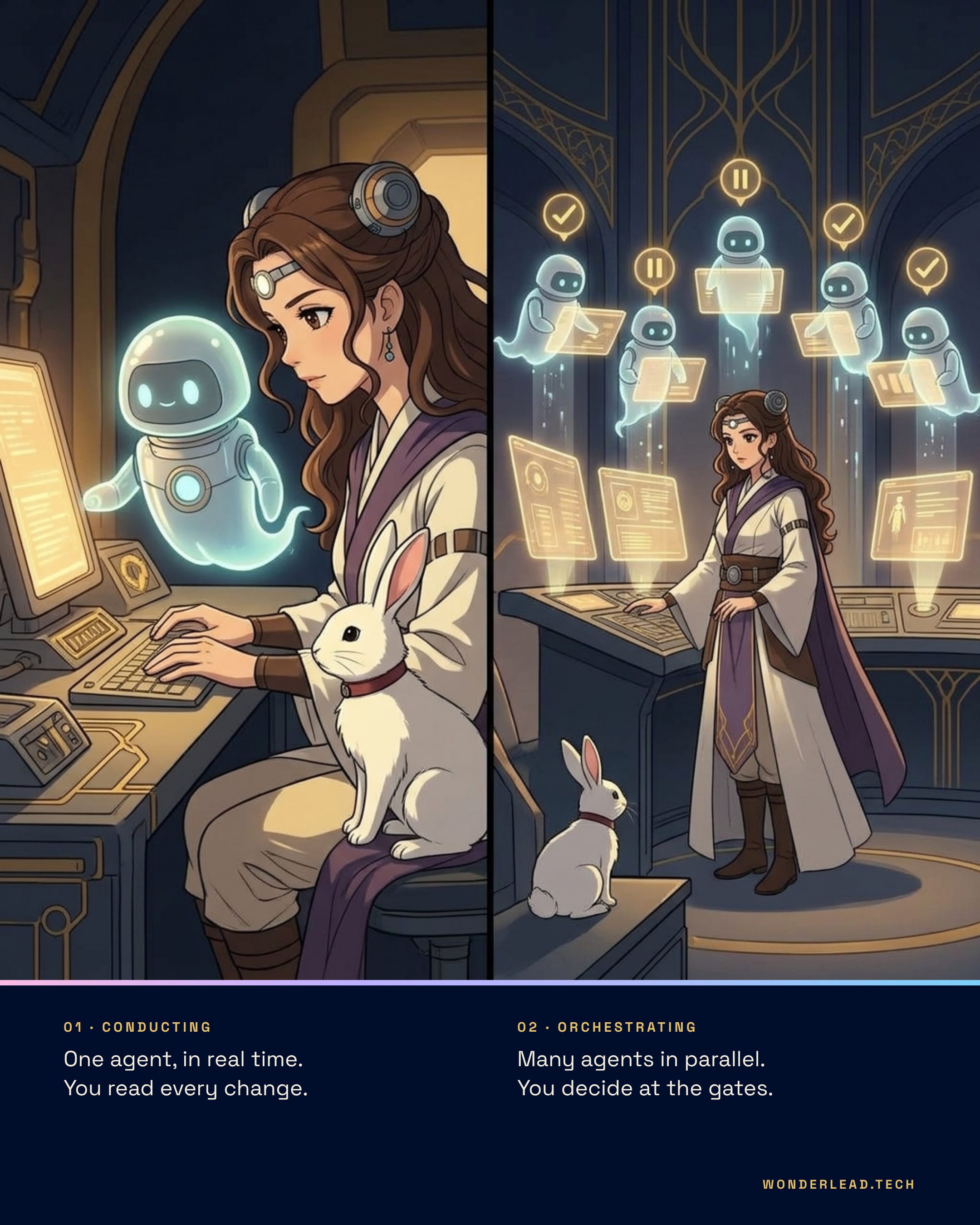
What it is: we write the code, and AI works next to us in the editor: completing lines, explaining code, suggesting fixes. We read every line. Some people now call this conducting: one agent, in real time, with us watching every change.
Use it for: everyday development in a codebase we know.
Do not use it for: large repeatitive work, like migrations.
Where I’d start: an editor based on Visual Studio Code, such as Cursor or Kiro, which are the IDEs I use. GitHub Copilot works well too if your team already uses it.
Skill it needs: reading code fast and spotting what looks right but is wrong.
3. Spec-driven development
What it is: before any code, we write and agree the spec: requirements with acceptance criteria, a design, and a list of tasks. The agent builds from the spec, and we review the result against it.
Use it for: features that matter, migrations, anything a team has to maintain.
Do not use it for: small or maintenance work.
Where I’d start: a spec-first tool such as Kiro, which is built around the product requirements document (PRD), design, and tasks. If you want to start from the customer before the spec, my Working Backwards PM bot writes the press release and FAQ first.
Skill it needs: writing clearly. A vague spec gives us confident but wrong code.
This is the one I use most for anything serious. In April, I planned the migration of our Thriving App from Beta to Production this way. Antigravity from Google gave me 40 to 50 lines in the tech design document for the whole migration. Kiro, in spec mode, gave me a tech design of more than 1,000 lines before any code existed.
Kiro supports the AI-Native Practitioner Programme with free Kiro credits. Now practitioners can experiment completely for free during the program.

4. Agentic development
What it is: we hand a whole task to an agent that plans, edits many files, runs tests, and reports back. We work like a lead: we define the task, unblock it, and review the result. This year some AI harnesses started to create sub-agents and loops without our explicit ask, but we can do it ourselves too with orchrestration or specified in the SOP. Running several agents in parallel, each on its own task, or setting up a loop that repeats a task until a check passes. People call the first orchestrating and the second loop engineering.
Use it for: well-defined tasks in a codebase with good tests: refactors, bug fixes, migrations broken into small steps.
Do not use it for: a small code change because it would burn tokens unnecesarily.
Where I’d start: a coding agent such as Claude Code, Codex, or Cursor.
Skill it needs: breaking work into small, checkable tasks, reviewing an agent's work like a new task done by a new teammate, and setting up the harness: the rules, skills, tests, and permissions the agent follows.
At AWS in 2025, I built a Model Context Protocol (MCP) server with an AI harness feature that hundreds of teams used and helped them cross-functionally in their workflows. Gartner now lists harness engineering among the top software engineering trends, and expects organisations with one to have 60% fewer post-deployment defects by 2028.
5. Role-based team workflows with agents
What it is: each person on a team works with agents that know their role, and the agents share the same rules. A product manager’s agent drafts the press release and FAQ, the design researcher’s agent synthesizes interviews, the engineer’s agent builds from the agreed spec. Humans decide at every handoff. In July, people started calling this graph engineering: loops made one agent’s work programmable, and graphs make a team’s work programmable. But I believe role agents are much more than a node in a graph.
Use it for: a cross-functional team shipping a real product and solo founders.
Do not use it for: small or maintenance work.
Where I’d start: shared rules files and one agent per role, in whatever tool each person already uses. It’s not about each person working alone with an agent but about sharing. In my case, when I need a complete loop with every role in it, I use Grok Bot.
Skill it needs: collaboration. Clear handoffs and ownership, written decisions, and the safety to say “this AI output is wrong.”
This is how our AI-Native Practitioner teams work. It is the biggest change and the hardest one, because it is about people more than tools. We have an AI TPM called Juno, there is one agent per role, and skills shared across the people and agents.
The role definition then the workflow
In this way of building, we don’t design a workflow and then add agents to it. We define each role the way we would for a person joining the team, and the workflows comes from how the roles and humans and agents work together. I like to call this AI role engineering, where the roles are in one or many graphs: in a graph each role is a node, and each handoff is an edge.
Read the details about this way of building and a cheat sheet on which way use and when by subscribing:
The cheat sheet is only for free subscribers.
Learn it with a real AI-Native team
Reading about these ways of building is easy.
Practicing them on a real product, with real people, is where we actually learn.
That’s what the AI Native Practitioner Programme is for. Small cross-functional teams (PM, UX, engineers, and leaders) build and ship a real product together, with senior mentors and review gates along the way. Each person gets an agent for their role, with the shared best practices built in.
New! I changed the format to make it more accessible for everyone.
Now individual mentorship sessions are optional, not included in the standard package but the mentors have office hours during their delivery phases.
The November cohort also includes free AI tokens supported by Kiro, the AI IDE from AWS. Kiro supports our programme on November and the Kiro role agents are available for everyone for free for the programme, still you can choose the AI tool you want to run for each delivery.
The cohort is now available for solo builders with all the materials and weekly office hours for 31% less of its price. But it doesn’t have free AI tokens.
Lower price with 30% off: Standard
€320€224, Leadership Track€570€399, Solo€220€154. This week only, readers get 30% off for Black Friday.
This program is for anyone between roles or who wants to improve their AI skills, individually or in a team. You can join a team or bring your own, I will be with you in live meetings, reviewing your roadmap and enabling you and your team weekly. At the end if you request it your work will be listed in a registry and you will get my testimonial as proof of your next role or being AI-native.
Important: Tuesday 24 Noveber is the late-access deadline and the next cohort will happen on 21 Dec. Your only way to join between cohorts is joining as solo.
Applying is free and takes about two minutes, and nothing is charged until your place is confirmed. Reach out to me if you have any questions or want to jump into a call.
WonderLead readers get 15% off, and this week it’s 30% for Black Friday:
The discount is only for free subscribers.
Other discounts can be found in the AI-Native Practitioner Programme page.
Tasks for the Week
☑️ Name which of the five ways you used most this week.
☑️ Take one piece of AI-built work and write the spec it should have had: who it is for, what “done” looks like, what it must never do, why is important, what data exists.
☑️ Subscribe to get in your inbox Part 2.
☑️ Join next WonderLead AI Sharing meetup or the AI-Native Practitioner cohort.
☑️ Tell us in the comments which way you build today, and which you want to learn.
Let’s keep in touch
You can find me on LinkedIn, X, YouTube, and TikTok. And learn more about me and how we can work together in my website. You can also join the Luma calendar or Meetup group to not miss any future events.
Do you want to join and do the journey of your career with us? Help to build our community, 💖 and Share. Discover, Own, and Thrive as a leader in your career with WonderLead posts and community. If you wish to make a request on a particular you would like to read, you can reply or send me an email to patri@wonderlead.tech.
And don’t miss Part 2: AI role engineering. How to define an agent like a teammate (its mission, skills, quality bar and what it decides on its own), with a real example from our pods. Plus the cheat sheet on which way to build when, the skills that matter most, the 13 practices our teams follow, and a free role definition template.
See you in the next post!