

What You’ll Learn
💡 What “AI-native” actually means
💡 The impact when a team becomes AI-native
💡 The one principle that kept judgment and quality
💡 A four-step guide to transform your team into AI-native
💡 How to become AI-native yourself in your team or a safe space
How a tool I built at AWS turned teams into AI-native
A year ago in the AWS UX org, I was assigned the launch of an MCP server for our internal UI design tool. MCP, Model Context Protocol, is a standard that sets how AI systems interact with datasources and external tools. At that time, there was a big misalingment on what the new AI thing was and how we should use it, in this case MCP.
The obvious build was a wrapper of the API, let users prompt, and get the API result, then mark the task as done and log a win in the WBR. But I designed also a harness. A harness is a layer that wraps an AI model (LLM) and manages its lifecycle, context, tool access, verification, and safety in production. The harness included the skills, context, and memory that let people generate higher quality code without needing to know coding or copy pasting all the documentation. At that time, there were no skills, no harnesses, no agents folders, nothing standard to plug into, there were only limitations. So I built the harness myself by embedding it as a tool in the MCP.
I did it because that was what our internal users actually needed. Something that worked inside the product development flow they already had.
My goal was to improve the development process for tech and non-tech users alike. Today, while writing this post, I realize that what I was actually doing was enabling Amazon tech and non-tech professionals to create AI-native teams.

Note on the nomenclature: This post has many AI and tech words that might be hard to understand. I created a Vibe coding dictionary for you so that you can get every word.
What is an AI-Native team
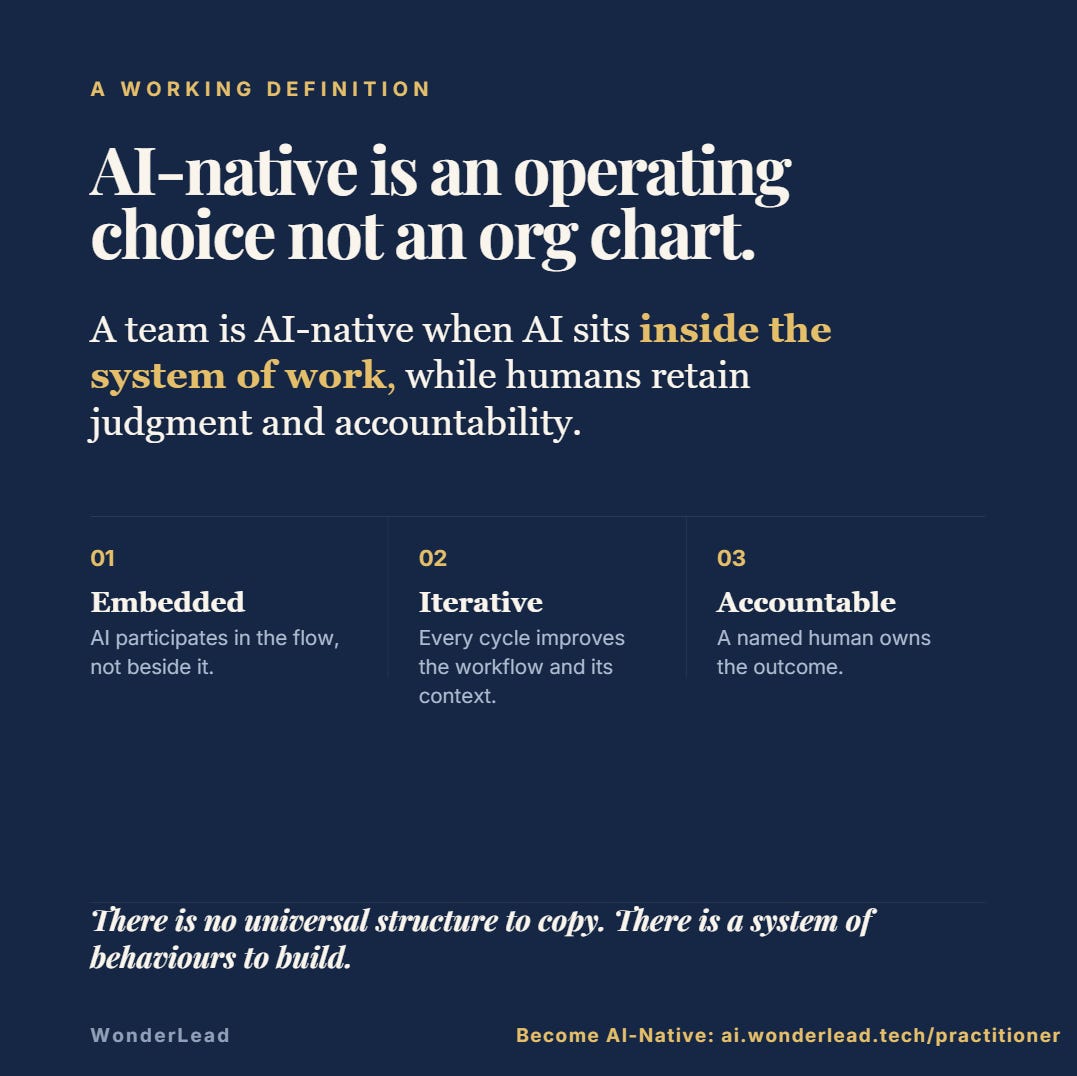
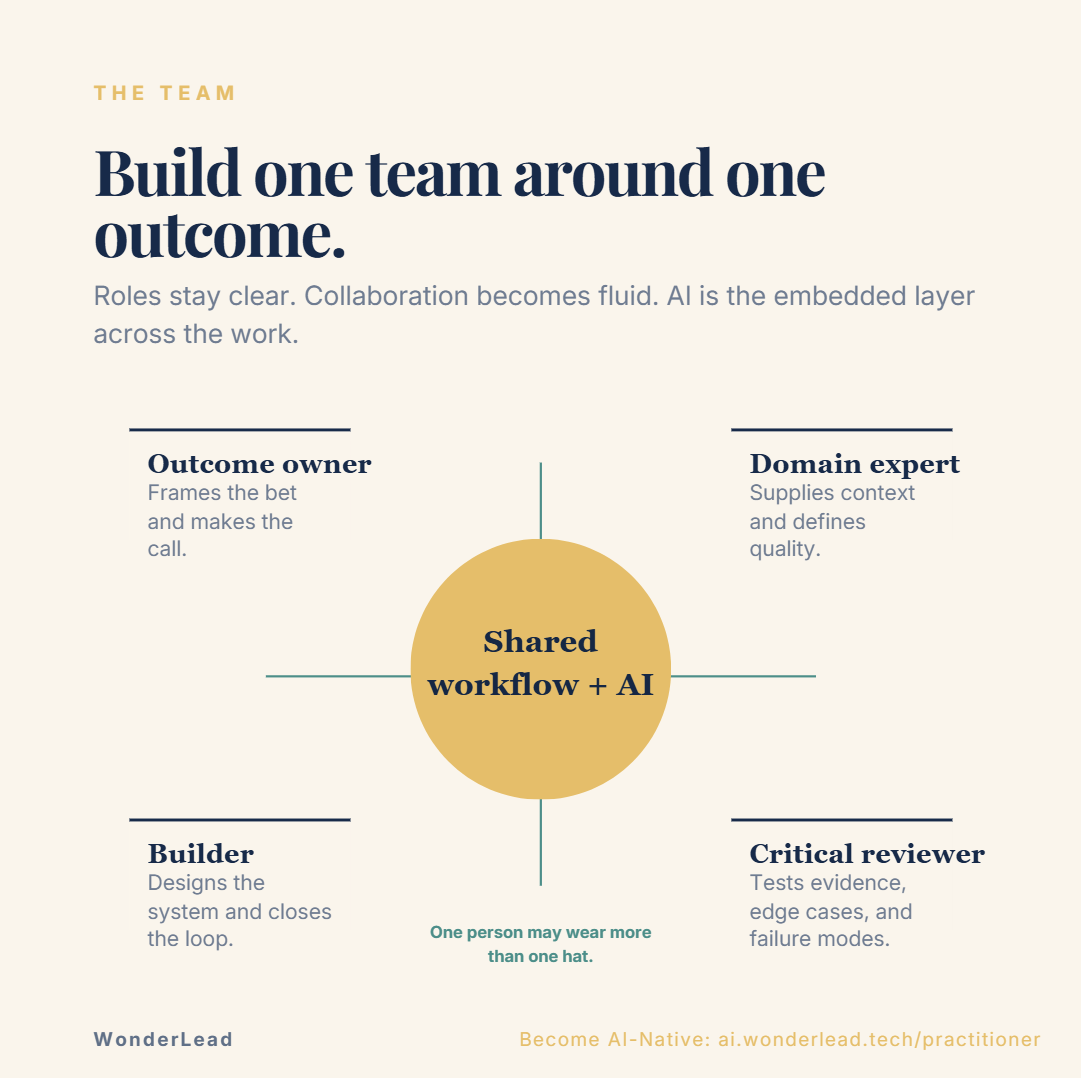
An AI-native team is one where the boundaries between roles start to soften because the agent removes the friction that used to keep contributions locked inside a role.
It has nothing to do with how many AI tools someone has installed and nothing to do with replaced jobs or specialties. It does not require any change in the org chart either.
In our case, before AI-native teams existed, it just started happening:
An engineer started modifying functional UX designs directly, turning them into real UI proposals.
A PM director started generating prototypes and sharing them straight with his team. Without a deck or handoff meeting, it was just a working thing to assess.
A designer started contributing code into git repositories with high quality code in git commits, not just Figma files to translate into code.
They became T-shaped by using an agent that made it safe and fast to step one layer outside their lane while keeping best practices. T-shape is a metaphore that means deep expertise in a single field, whereas the horizontal bar is the ability to collaborate across disciplines with experts in other areas and to apply knowledge in areas of expertise other than one's own. The agent made the horizontal stroke wider. It made safer and faster to contribute to other roles. And can generate quality output but by supervision of the role in that lane.
AI-native teams don’t require new tools but they have individual with wider reach holding the quality bar.
The Impact We Could See
This wasn’t just vibe coding. The teams were following Amazon best practices while executing with agents. They were accountable for their agent’s outcomes through judgement. And there was a productivity gain visible in our calendars and our review cycles.
Fewer alignment meetings. When a prototype already exists, you don’t need a full meeting to explain the idea, you need ten minutes to react to it.
Lots of demo recordings started to flew around director meetings.Faster document approvals. Though the processes stayed and the documents were there, the proposals were easier to approve when people could see what was being proposed instead of guessing it from a doc.
More contributions flowing across roles. Product Managers built working prototypes and contributed them into the design team. Designers committed high-quality code straight into Git repositories. And engineers actively proposed UX designs to design and product teams.
There was less friction and less waiting. And more people actually building the thing, together, instead of describing it to each other.
The One Rule That Made This Work
However, it was not always smooth. The teams are composed by humans and before AI each role was very well defined. Any contribution to the other role had to be aligned with the owner and verified with the expert. In my org, we defined clearer owners and roles.
Plus here’s the part I care about most and I teach it in my workshops and AI native program, because it’s the part that’s easy to get wrong:
We didn’t skip design reviews to move fast. We didn’t cut the bar on quality because “AI can do it now.” We didn’t remove the best practices Amazon has run on for years. The ones shaped by Jeff Bezos and refined over decades.
We kept Working Backwards, the Amazon method of starting from the customer and writing the press release before building. And we kept our high bar in document reviews. With API bar raisers or principal engineers who can tell no and push back entire proposals.
What we did was augment our roles and become T-shaped with the harness I built, and people executed that work through Q Developer, later Kiro’s IDE and CLI.
The agent didn’t replace judgment. It removed the tedious distance between having an idea, being able to show it, and aligning it in a team. Though it implemented best coding, compliant, and secure practices, it didn’t replace their high bar reviews.
For Leaders: How to Build an AI-Native Team
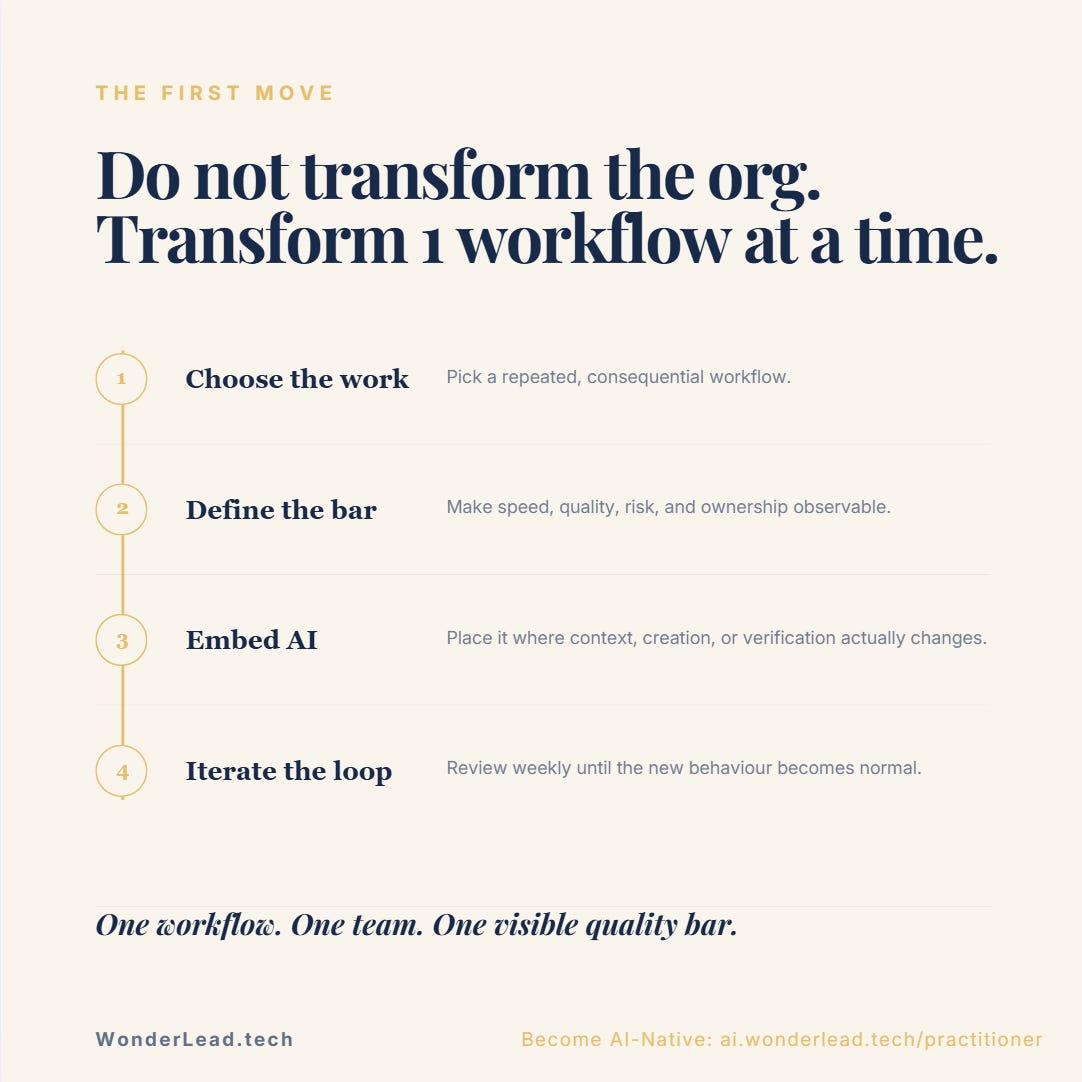
If you want to try this in your own org, here’s the shape of it, stripped down to what actually mattered:
Support the adoption by starting from real friction, not a mandate. Once teams had available the MCP shared coding agent or harness, they improved their own processes and gaps, without a mandate there was higher safety to adopt AI.
Build the harness before you expect the habit. People won’t cross role lines on willpower alone. They need a tool that makes the crossing low-risk and fast.
Augment the role, don’t replace the practice. Keep your quality bar, your reviews, your standards. The agent should make it easier to meet them and remove redundancy.
Give people a safe way to step outside their lane. An engineer proposing UI. A designer committing code. That only works if the tool absorbs the risk of “I’m not really supposed to do this.”
Create a shared, recurring space to support adopters. Once launched, we had office hours. Additionally, I created weekly sessions, that turned individual experiments into a real cross-org community. Nobody had to figure this out alone.
Measure the collaboration shift, not just the speed, less the tokens. Meetings avoided. Review cycles shortened. Contributions crossing role boundaries. That’s the real signature of an AI-native team.
We didn’t set out to build “an AI-native team.” We set out to solve a real problem for real users, protect what already worked, and give people a room to learn together. Becoming AI-native teams were the result, not the plan.
For Individuals: How to Become AI-Native
A team only becomes AI-native if the people in it do.
That is the part we cannot wait on our org to invent. Most of us do not have a weekly session across engineering, PM, design, and research. Most of us do not have an internal harness already waiting. And a personal habit to talk with an AI agent is not the same as becoming T-shaped in our roles.
The skill only sticks when we have to show work to other roles, under a real bar, on a real product.
Here is the path I would take if I were starting from where many are right now:
Own the practice, not the tool.
Self-awareness first: notice where we stop at the first draft, or stay inside our job title because stepping out feels unsafe.
Self-management next: one recurring hour a week to ship something visible, not another tab of AI news.Step one layer outside your lane.
If you write code, generate a UI proposal. If you design, open the repository. If you manage, put a prototype in front of the room instead of a slide. That is how the T gets its second stroke.Keep the quality bar.
AI-native is not “faster slop”. It is the same reviews, the same Working Backwards thinking, the same judgment, with the agent removing the distance between the idea and the thing the team has to align on.Do it with other people. The weekly session at Amazon worked because we were figuring out this technology together. Social awareness and relationship management required in companies are the part solo prompting never teaches.
How to Become AI-Native In a Safe Space
Solo prompting teaches you tools. It does not teach you the social awareness, peer reviews, code merges, and cross-functional judgment required to ship AI generated software inside a high-performing company. That is why I built the AI Native Practitioner Programme.
The AI Native Practitioner Programme replicates the exact operational ingredients: a real cross-functional team (PM, UX, Dev), specification-driven development, token optimization, context window management, prompt engineering framework, UX heuristics for AI, bar-raiser reviews, evaluations, and shipping a live production-ready MVP. With no passive certificates for watching slideshows.
We build and ship a real product together under the guidance of senior mentors: Nick Harutyunyan (Sr. UX Designer & Researcher), Reni Oikonomou (Sr. Strategy & Product Management), and myself, Patricia Juarez Muñoz (Staff AI Product Engineer).
📅 Cohort starts choosing teams and products on September 1st. Applications open.
⏱️ Commitment: ~4 hours/week for 10 weeks or ~8 hours/week for 5 weeks (Intensive).
If you are ready to stop collecting tools and start leading the shift toward T-shaped, AI-native practitioner: 👉 See the AI Native Practitioner Programme and Apply Here. 20% off for WonderLead subscribers, mention it in the application form.
Thank you for reading this post!
It feels like in tech many people are rushing and forgetting about the importance of quality in the products we deliver to our customers. If you think this post can help someone adopt AI in their team easier, please share it or invite them to subscribe.
Entirely new to tech or AI? Check out my free AI Builder Stack which will help you identify the right tools for your use case and what to do next.
This post opinions are my own, and may not reflect the opinions of the company I work for.